Changelog

Follow new updates and improvements to ProjectDiscovery.

v1.6.0: Introducing associated domain discovery & key platform enhancements
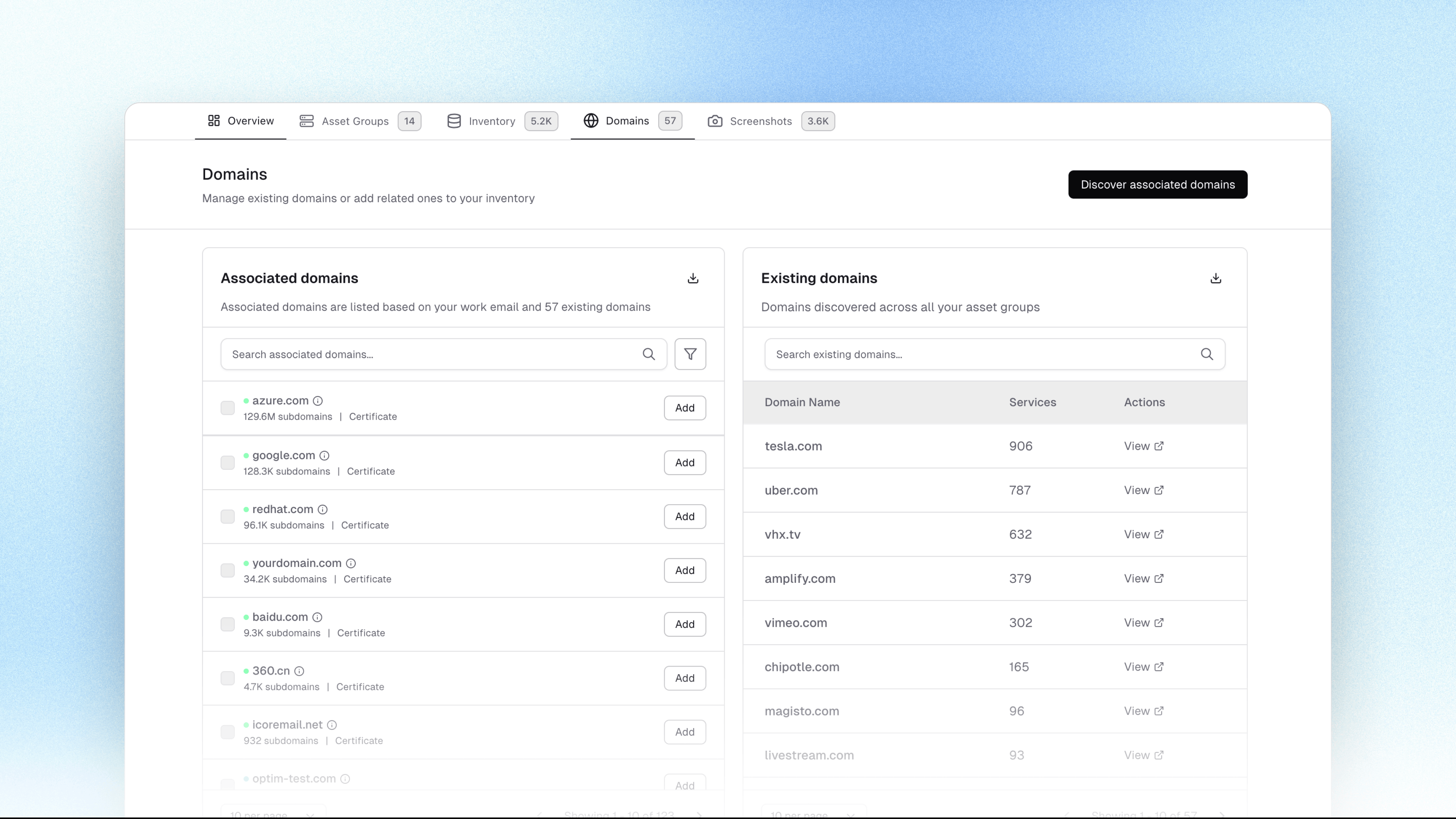
This release expands attack surface visibility with Associated Domain Discovery, improves credential monitoring workflows, and delivers multiple usability, integration, and reliability improvements across the platform.


✨ New Features

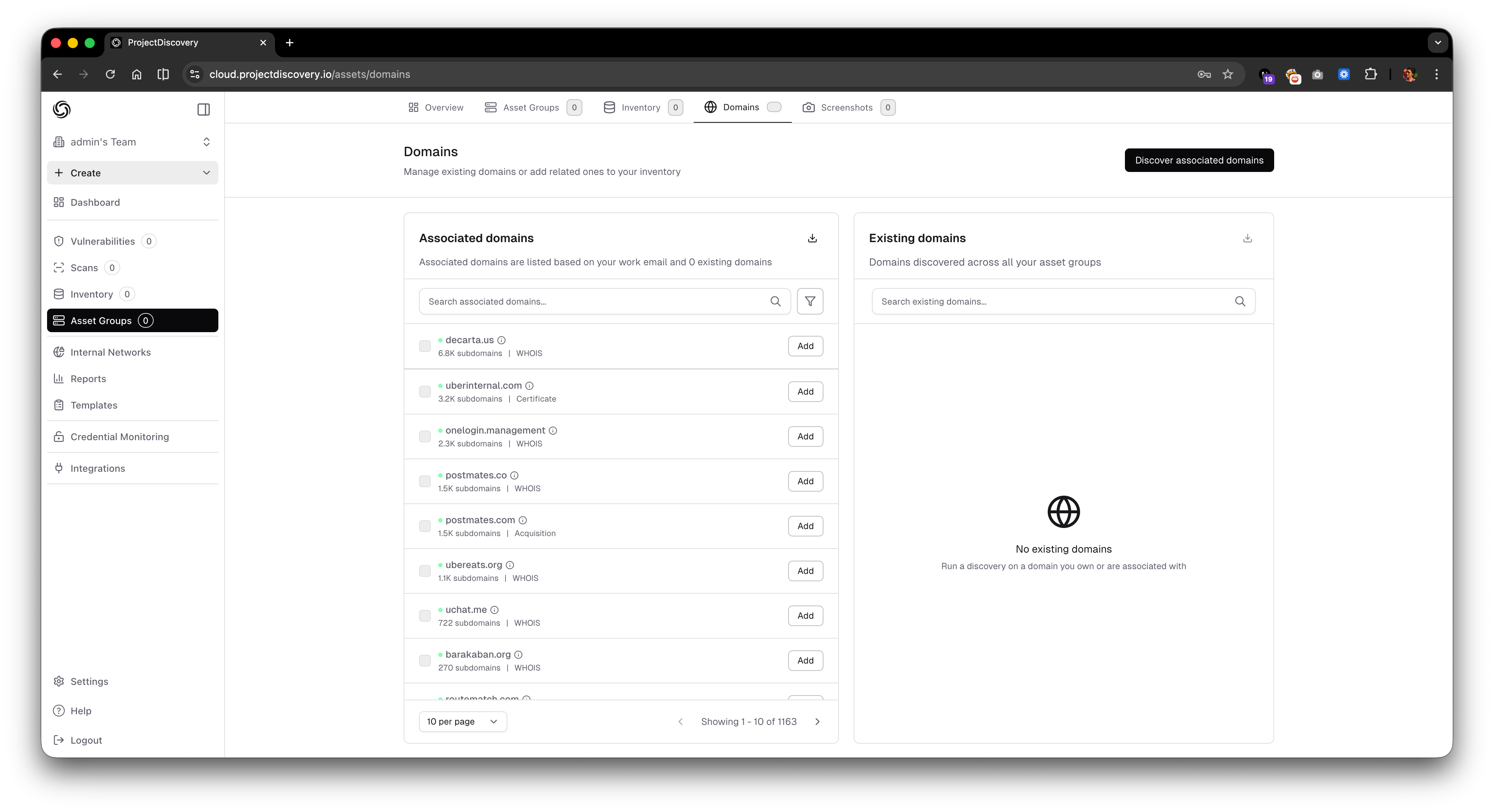
🌐 Associated Domain Discovery

  • Discovers domains related to your verified assets, helping identify owned, subsidiary, or infrastructure-linked domains that were not explicitly added.

  • Associated domains are identified using multiple intelligence signals, including:

    • Acquisition history, covering subsidiaries, mergers, and related corporate entities

    • Certificate history, using shared or historical SSL and TLS certificates from certificate transparency logs

    • WHOIS history, identifying common registration and ownership patterns

  • Results are grouped by association source, allowing users to understand why a domain is linked and assess the relevance of the association.

  • Helps uncover subsidiary domains, legacy assets, and infrastructure-linked domains that could otherwise remain undiscovered.

  • Available to all signed-up users on the Cloud Platform (Non-Enterprise users are limited to 10 associated domains per query).

  • Access the feature from the Assets section and to get started.

  • Refer to our Documentation for more details.
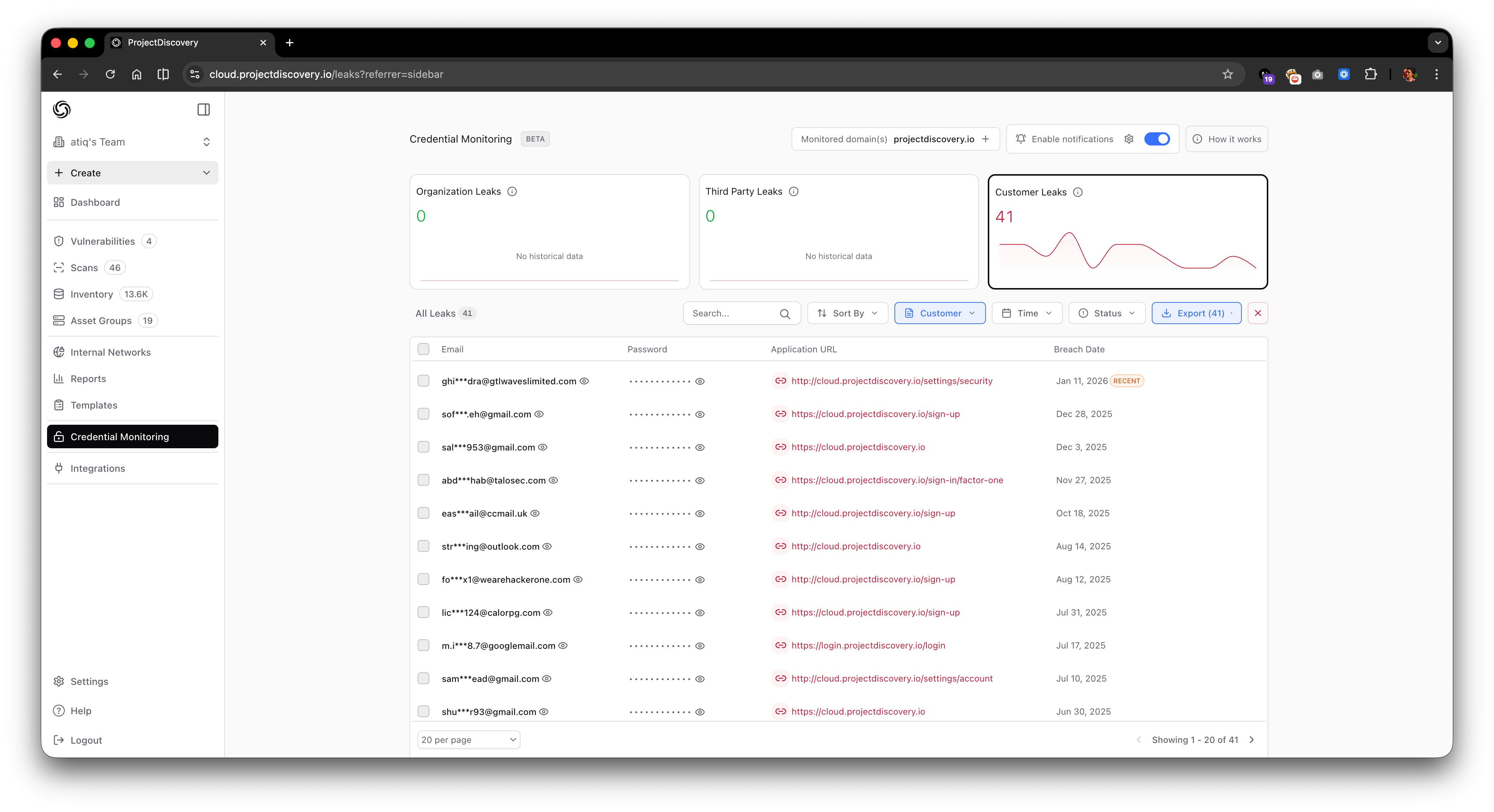
🔐 Credential Monitoring Enhancements

  • Added ability to view exposed customer credentials with improved UX, to speed up investigation and triage.

  • The Export API now returns unmasked passwords, enabling:

    • Bulk credential analysis

    • Integration with external tools

    • Offline investigation and correlation workflows
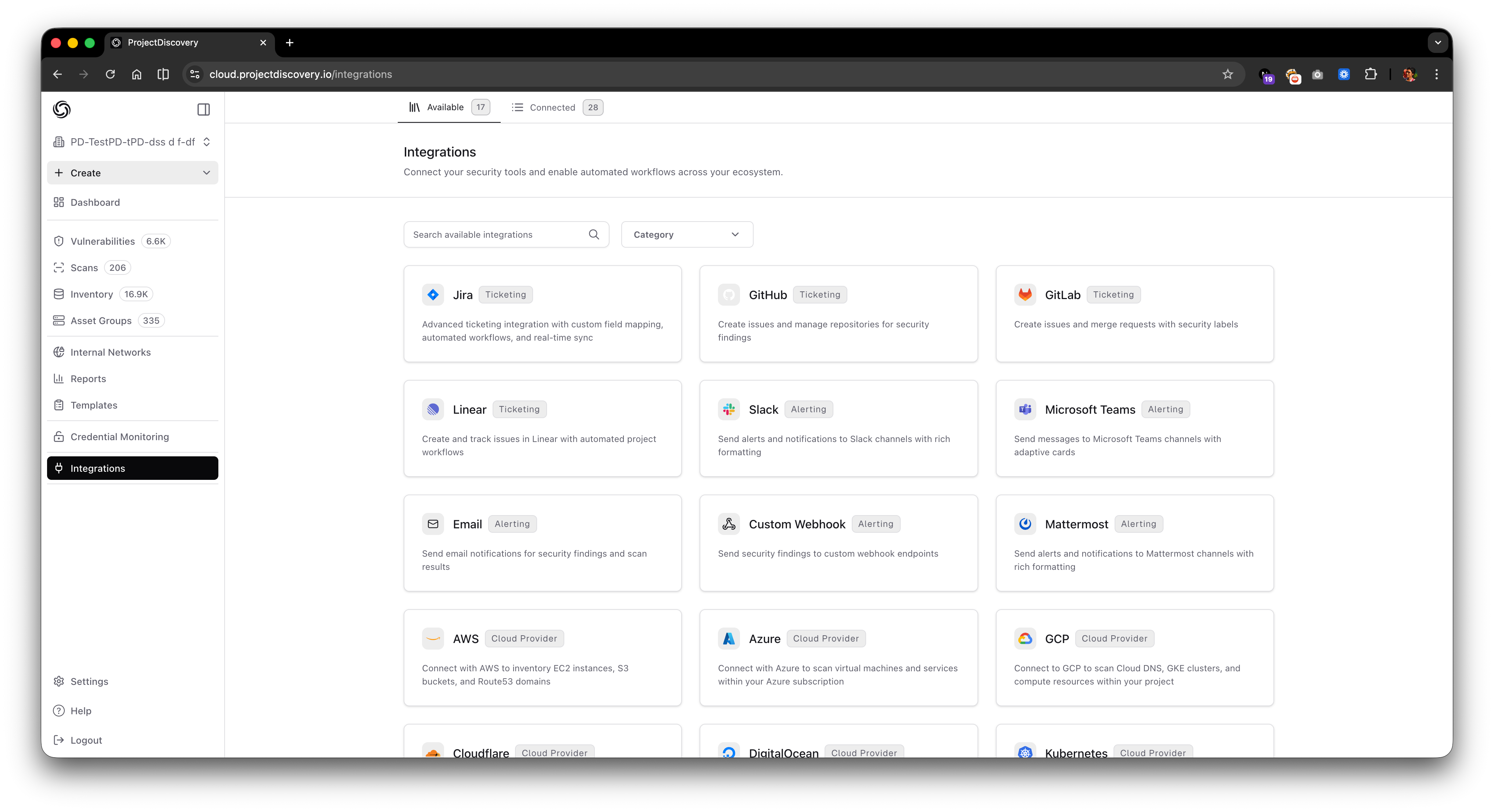
🔗 Integrations

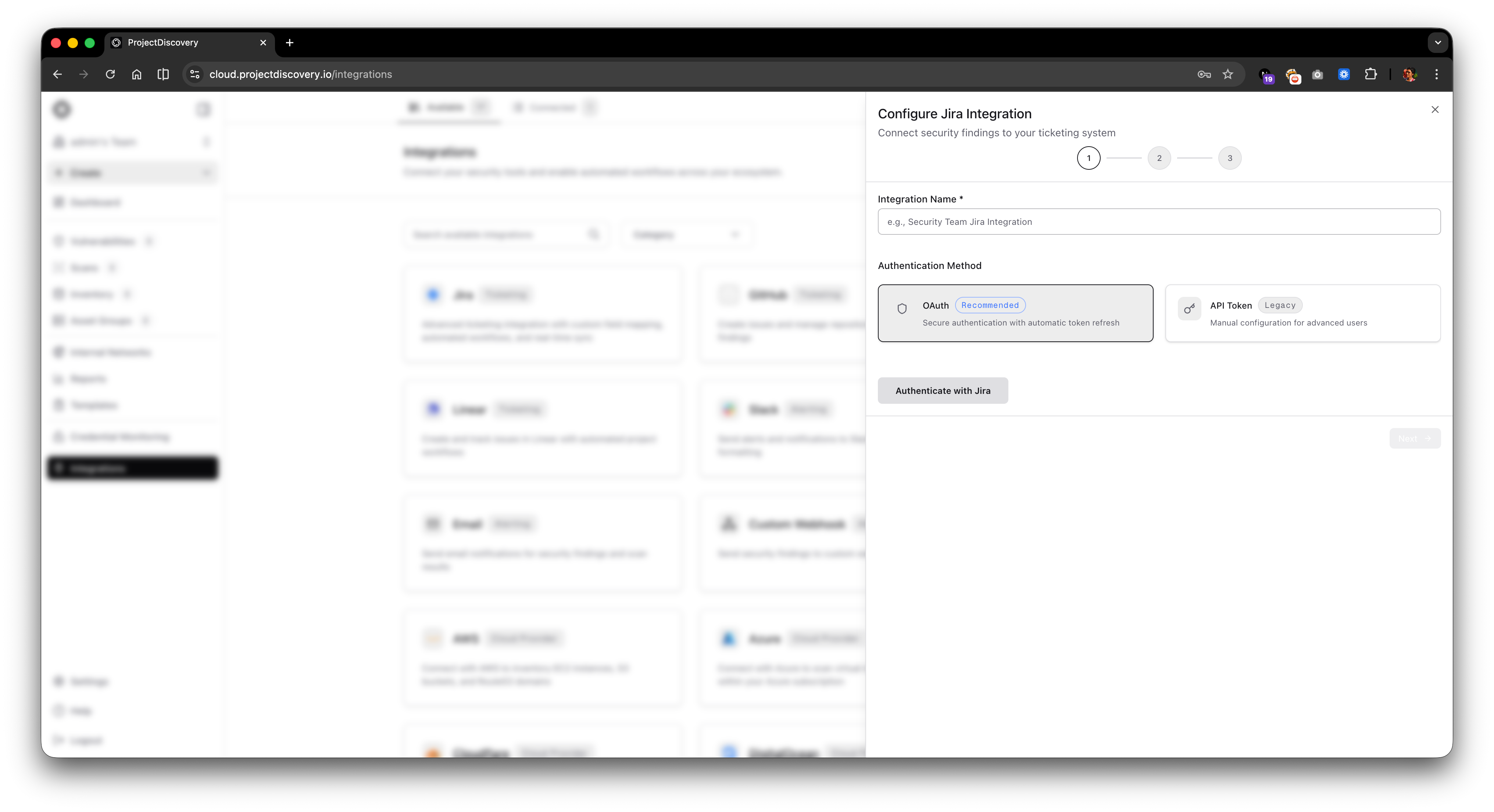
  • Updated Integrations page with improved layout and configuration flow.

  • Jira Integration enhancements

    • Added OAuth-based authentication, simplifying setup and ticketing workflows.

    • Introduced configurable field mapping between ProjectDiscovery and Jira, allowing users to control how vulnerability and asset data is populated when creating tickets.

  • Access integrations here:

    https://cloud.projectdiscovery.io/integrations

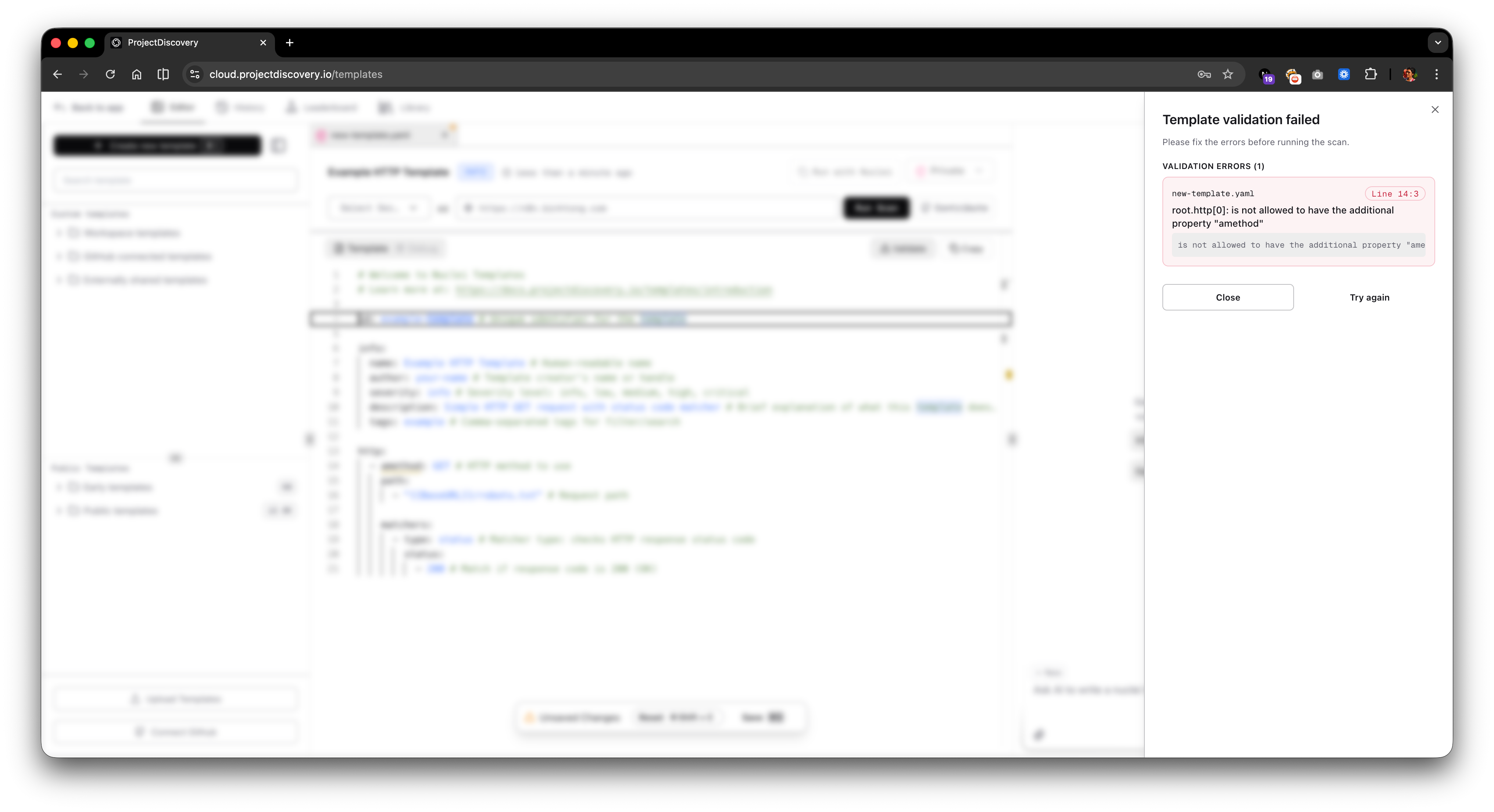
🛠 Improvements

  • Added real-time feedback for invalid Nuclei template create, upload, and test actions, improving usability and reducing failed submissions.
  • Fixed overlapping issues on the vulnerability timeline when displaying new data points such as issue resolve time, improving clarity of vulnerability lifecycle tracking.

  • Resolved Open Graph image content loading issues on the Template Library page.

  • Fixed multiple minor UI/UX issues on the Template Profile page.


🔧 Maintenance Update: UI & Platform Fixes

We’ve also rolled out a minor maintenance update focused on usability improvements and bug fixes.

  • Added Light Mode / Theme support across the platform.

    • Theme preferences can be updated here.

  • Introduced a design system to standardize UI components and visual patterns, ensuring a consistent and predictable user experience across the platform.

  • Fixed issues with Censys integration in subfinder.

  • Made minor design improvements to:

    • Leaderboard UI

    • Agent installation experience


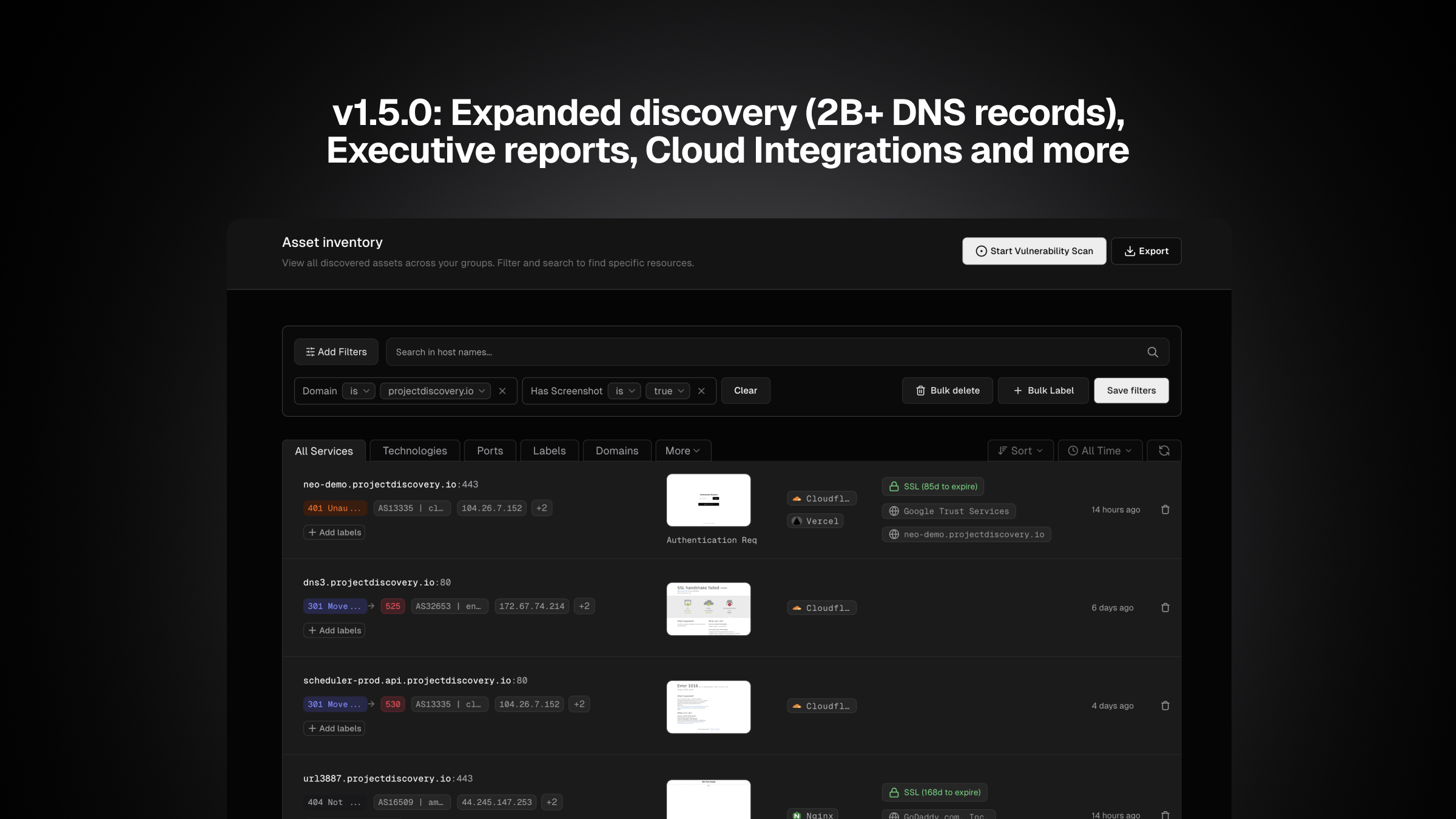
v1.5.0: Expanded discovery (2B+ DNS records), Executive reports, Cloud Integrations and more..

Asset discovery enhancements

We’ve significantly expanded external asset coverage; all changes apply automatically to existing discovery workflows (no user action required):

  • Subdomain discovery now includes 2 additional sources for deeper discovery (for Enterprise customers only).

  • Alterx integration now leverages Regulator for richer DNS permutations, building on the existing DNS Permute option.

  • Chaos TLS API is now used for IP discovery, in addition to SSL certificate–based discovery.

  • Chaos DNS API has been updated, adding over 2 billion subdomains to the DNS dataset.

  • DNS brute-force now supports 2nd level bruteforce for subdomains with wildcard certificates and automatically retries on timeouts.

These improvements are live for all discovery jobs in ProjectDiscovery Cloud.

Added controls in scan configuration

We’ve added new controls to make scan configuration more precise and easier to manage.

  • Private templates in scan profiles

    • You can now use private/custom Nuclei templates directly in scan template profiles, making it easier to standardize organization-specific detections across scans

  • Asset inclusion filters

    • We’ve added asset inclusion filters for per-scan and per-discovery configuration. In addition to excluding assets, you can now explicitly include assets to be scanned or discovered.

  • Default Static IP selection

    • Static IP is now enabled automatically when Static Scan is turned on, removing a previous manual step.

Integrations

  • Mattermost is now supported as an alerting destination, alongside existing notification channels.

  • Azure integration now supports 10+ additional services, bringing service coverage closer to AWS parity.

  • GCP integration now supports short-lived tokens in addition to static tokens (API only; UI support coming).

Reports

You can now generate PDF reports directly from the Reporting page and via API. This allows teams to package findings into a clean PDF for leadership, auditors, or customers without manual exporting. Reports can also be automated via API as part of existing workflows.

Improvements

  • Enhanced API error messaging for restricted/blocked templates in Cloud, with clearer feedback on why a template cannot be used.

  • Onboarding experience refinements across the UI to make it easier to get from first login to first scan.

Fixes

  • Fixed DNS wildcard detection for more accurate subdomain enumeration and reduced false positives.

  • Fixed issue with screenshot capture/display showing incorrectly formatted data under certain conditions.

  • Fixed issue with discovering additional ports outside the configured port list.

  • Vulnerability retest now respects the original Scan Configuration when available; previously, some settings were ignored.

  • Vulnerability retest for early-template findings now uses the correct URL/target instead of template content, ensuring updated Nuclei templates are applied correctly.

  • GitHub integration: template updates now sync as expected when existing template files are modified.

v1.4.0: Credential Monitoring (beta), Cloud context, Rate Limit, and many improvements

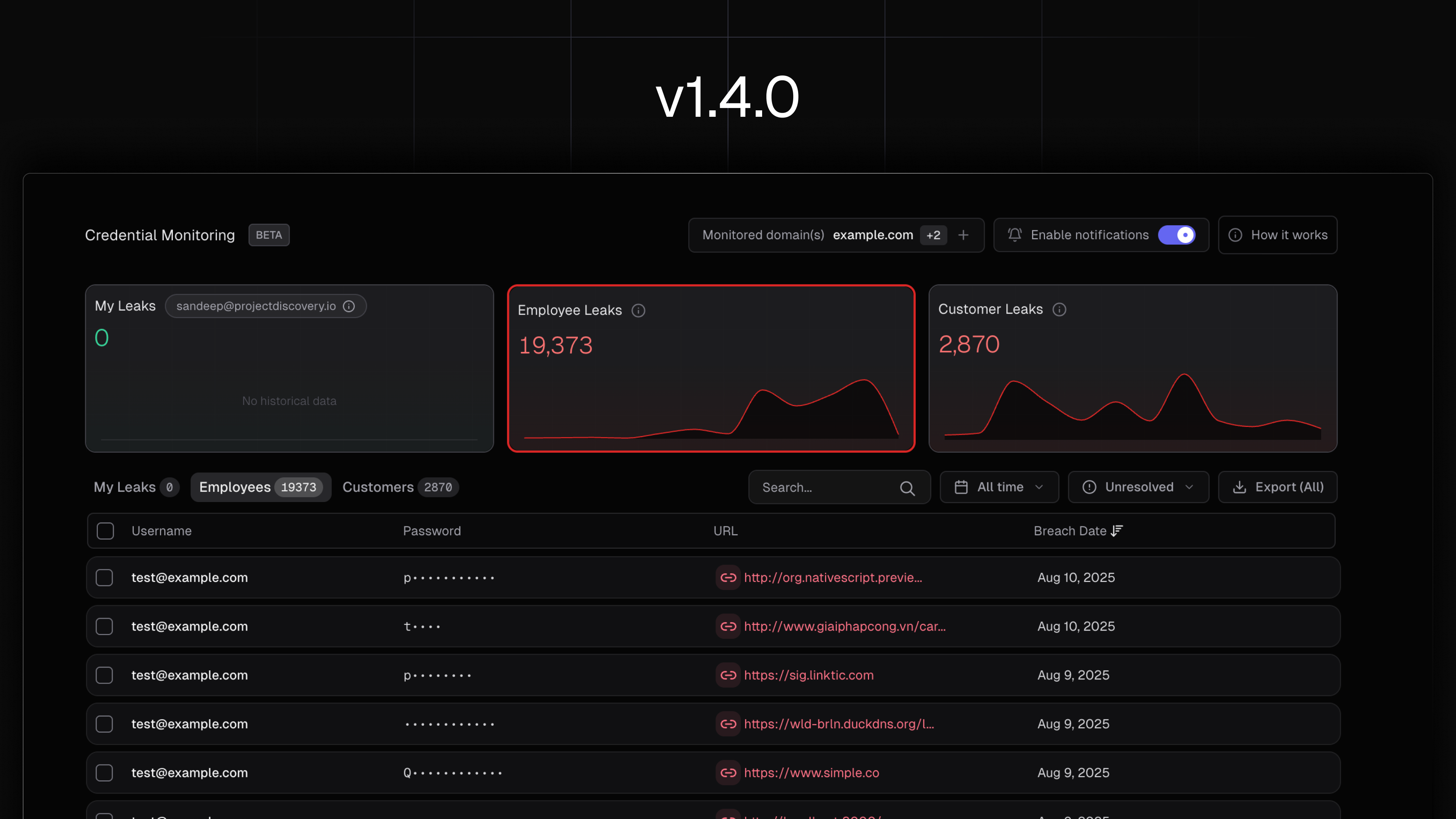
Credential Monitoring (beta)

A new Leaks experience continuously surfaces exposed credentials associated with your organization so you can spot account-takeover risk early and act before attackers do. Access is scoped by role to protect sensitive breach data, and organization-wide visibility unlocks after domain verification. Enterprise teams can manage multiple domains and integrate via API.

Learn more here:

https://docs.projectdiscovery.io/cloud/credential-monitoring

Rate Limit per Host

A new scan configuration option enables control over request rates to safeguard host stability and optimize resource usage. Use the “Rate limit per host” setting to define requests per second per host, leave blank to default to maximum scan speed. Lower values enhance host respect, while higher values boost throughput. This control is scoped within scan configurations and integrates seamlessly with custom headers, variables, and enterprise-grade features like fixed IPs and whitelisting to ensure predictable, compliant scanning behavior.

Learn more here:

https://docs.projectdiscovery.io/cloud/scanning/parameters#rate-limiting

Contextual Metadata for Cloud Assets

Asset drawers now include enriched metadata from connected cloud providers to help you understand what you’re looking at without switching tools. For example, an AWS S3 bucket or a Kubernetes ingress will display the key integration details you typically hunt for, things like the instance identity, how traffic reaches it, the control plane objects it’s tied to, and the versioning and ownership breadcrumbs that matter during triage. The goal is simple: when you pull up an asset, you immediately see the operational shape around it so you can make a confident call on severity and next steps. Filtering on these metadata fields is coming soon.

Asset Source Visibility

The asset drawer now includes source details, making it easier to see where discovered assets originate and providing context for external discovery. This lives under the Asset → Drawer details panel.

WAF statistics in scan logs

Scan logs now include a WAF-focused summary to make it easier to see when scans are being challenged or blocked and to guide tuning (e.g., white-listing, throttling or header strategies). This lives under the Scan → Logs details panel.

UI & UX Improvements

  • Prevented recommended profiles from being auto-selected multiple times in the template option workflow.

  • Fixed scan button behavior in grouped asset view, ensuring scans can be initiated correctly.

  • Introduced a new score progress bar for clearer visibility of Security Score improvements.

  • Enhanced the timepicker with smoother UX and resolved edge-case bugs in time selection.

  • Improved loading state on the Teams page to provide clearer feedback during team invites.

  • Resolved template handling in the scan dialog, fixing issues with running custom and GitHub templates.

Stability & Performance

  • Eliminated a race condition in port-scan result callbacks that could trigger occasional panics.

  • Refined per-worker rate-limit calculations to prevent host skipping.

  • Added additional panic guards across components (including headless and technology-detection paths) for broader coverage.

  • Improved scan worker calculation logic for more predictable scheduling under variable load. Fixed an edge case with the retest vulnerability option.

  • Added a fallback path when a scan configuration isn’t found, reducing hard failures.

Earlier updates